
EDUBRIDGE
EDUBRIDGE is a platform that connects donors and volunteers with underprivileged schools to provide meaningful support
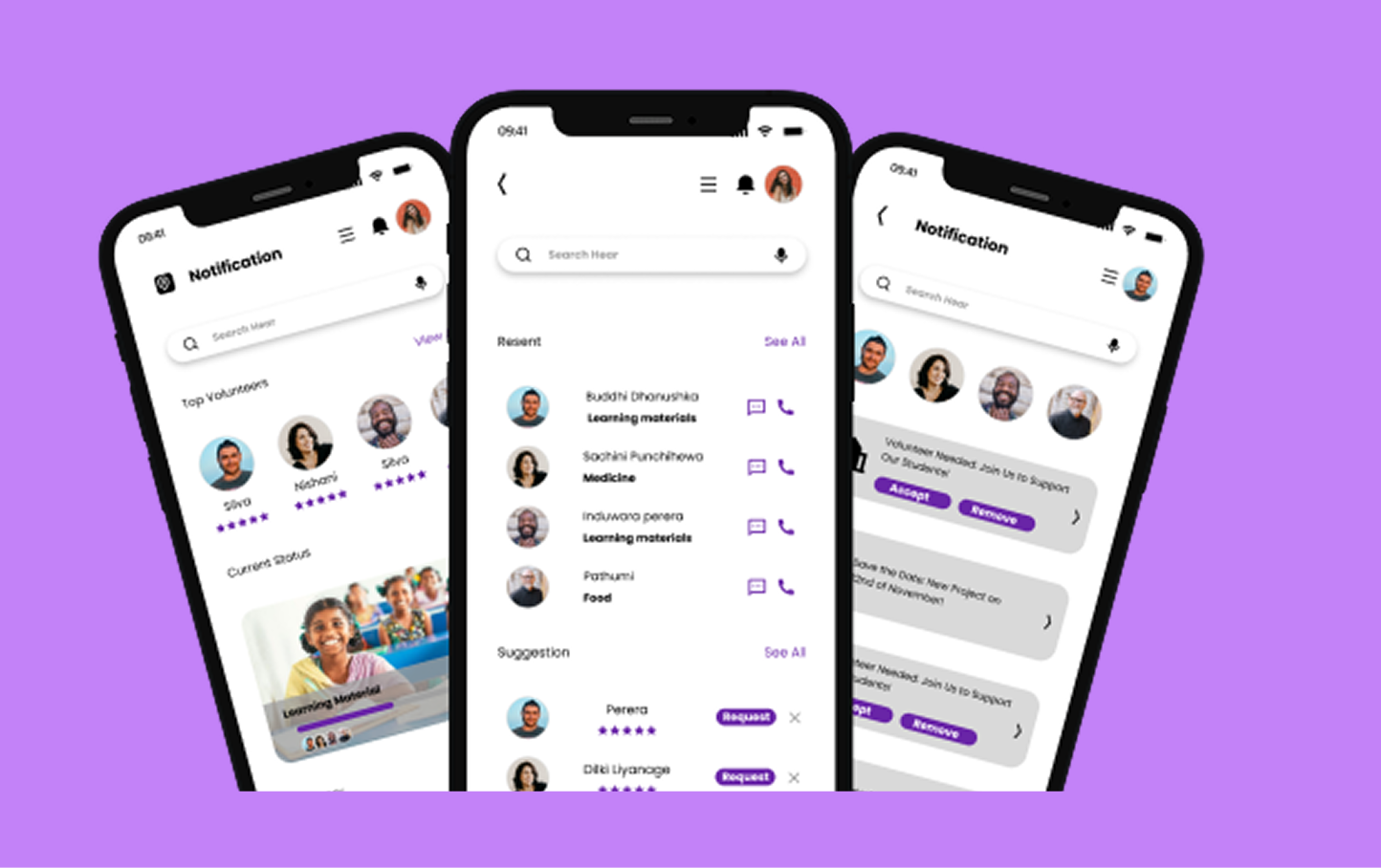
EDUBRIDGE
EduBridge is a centralized donation platform designed to connect volunteers and donors with low-income schools to provide effective and specific aid for underprivileged pupils. By bringing all stakeholders into one cohesive ecosystem, this platform seeks to increase transparency, encourage community interaction, and streamline the entire donation process.
Duration
5 Weeks
Industries
Education
Fundraising
Services we offered
User Research
UX Wireframes
UX UI Design
Challenges
Design a platform that makes the donation and volunteering process more organized, trustworthy, and accessible for all users
Build a transparent ecosystem that fosters robust community interaction and streamlines donation distribution for low-income schools.
Solve the structural disconnect between remote/underprivileged schools and potential donors who want to provide specific and effective aid.
Workflow
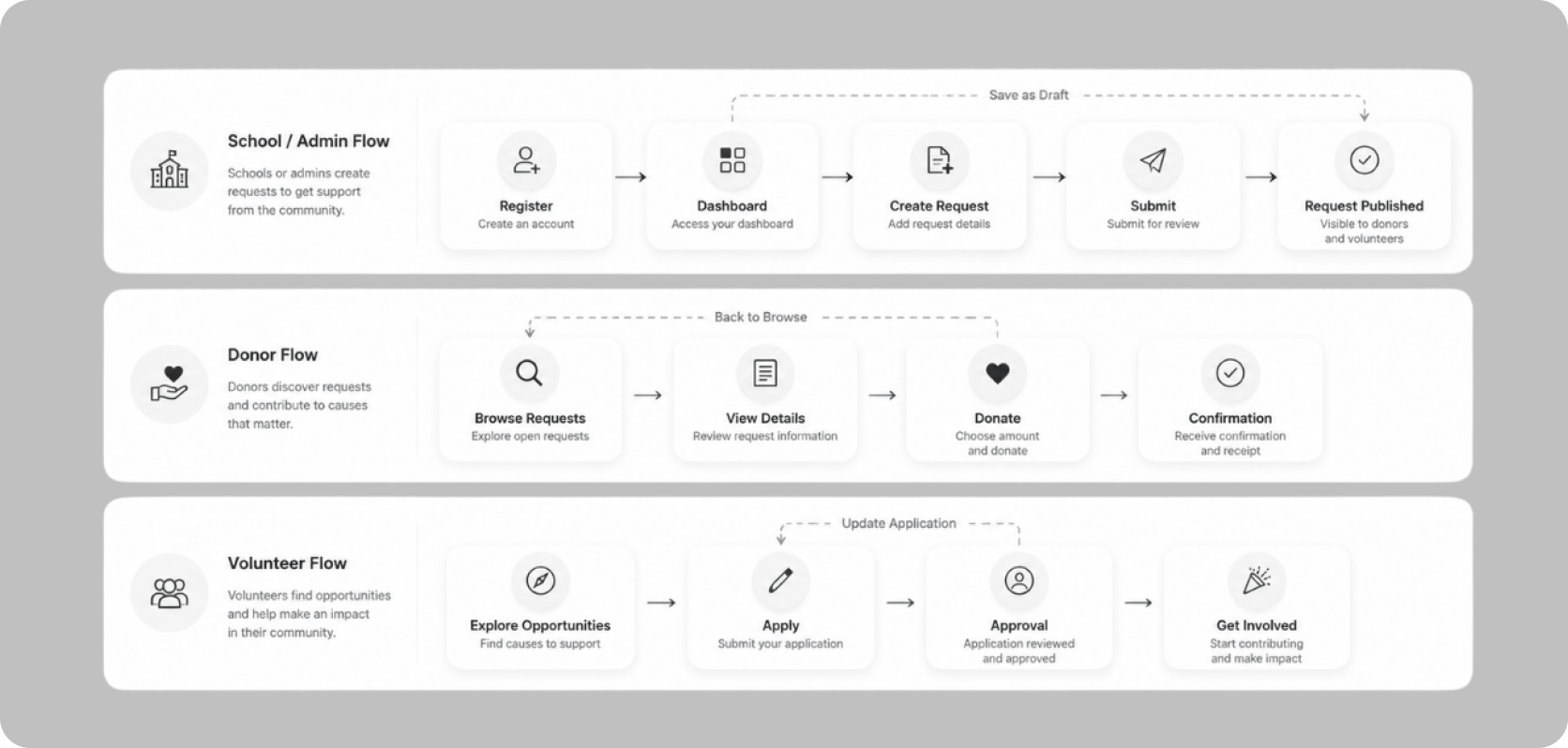
1. Define
The design process started by mapping out the main user flows to understand how each user group would interact with the platform. This included the School/Admin flow, Donor flow, and Volunteer flow. Defining these flows helped identify the key actions users needed to complete and ensured that the experience would be clear, structured, and easy to navigate
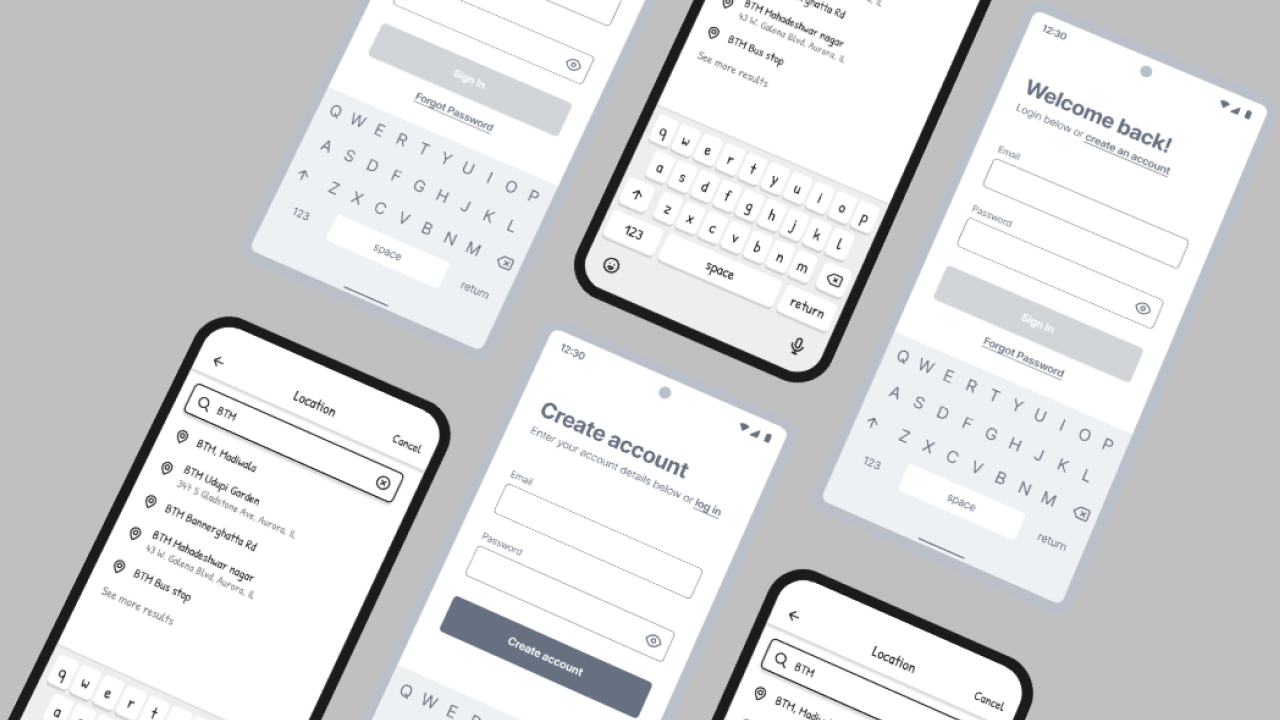
2. Wireframes
Once the user flows were defined, low-fidelity wireframes were created to structure the key pages and features of the platform. These included the Home page, school request listings, request details page, donation flow, volunteer registration flow, and dashboard/profile sections. The wireframes helped validate the layout, content hierarchy, and navigation before moving into high-fidelity design
3. Iteration
Throughout the design process, several improvements were made to refine usability and clarity. Navigation was simplified to make the platform easier to use, request visibility and categorization were improved for better accessibility, dashboard interactions were refined, and layouts were adjusted to reduce confusion and improve readability. These iterations helped create a smoother and more user-friendly experience.
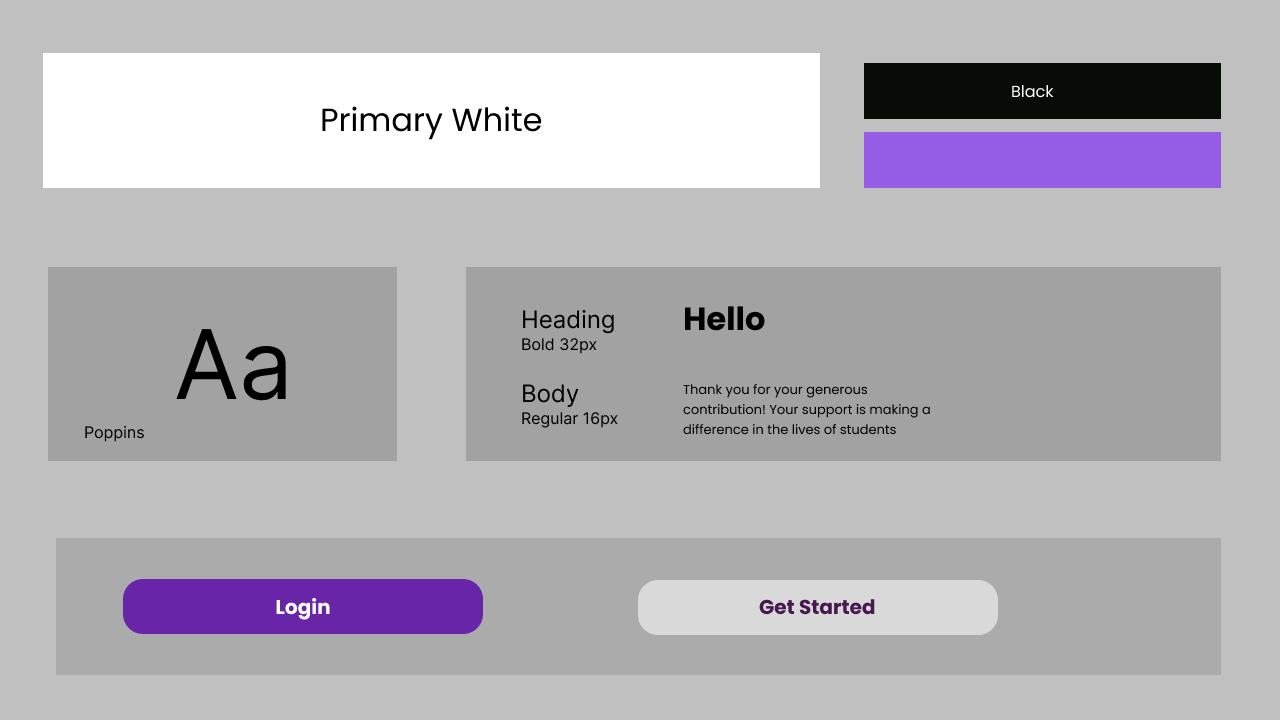
4. Design Decision
The final design decisions focused on creating a platform that feels clean, trustworthy, and human-centered. Clear labels and categories were used to reduce confusion, while the interface was kept visually simple and friendly to build trust. Transparency and real user needs were prioritized throughout the experience, ensuring the platform felt supportive and meaningful rather than purely transactional
Applied Solution
EduBridge was designed as a centralized platform that brings schools, donors, and volunteers into one connected ecosystem. The goal of the solution was to create a more organized and transparent way for underprivileged schools to receive the support they need, while making it easier for donors and volunteers to contribute in meaningful ways
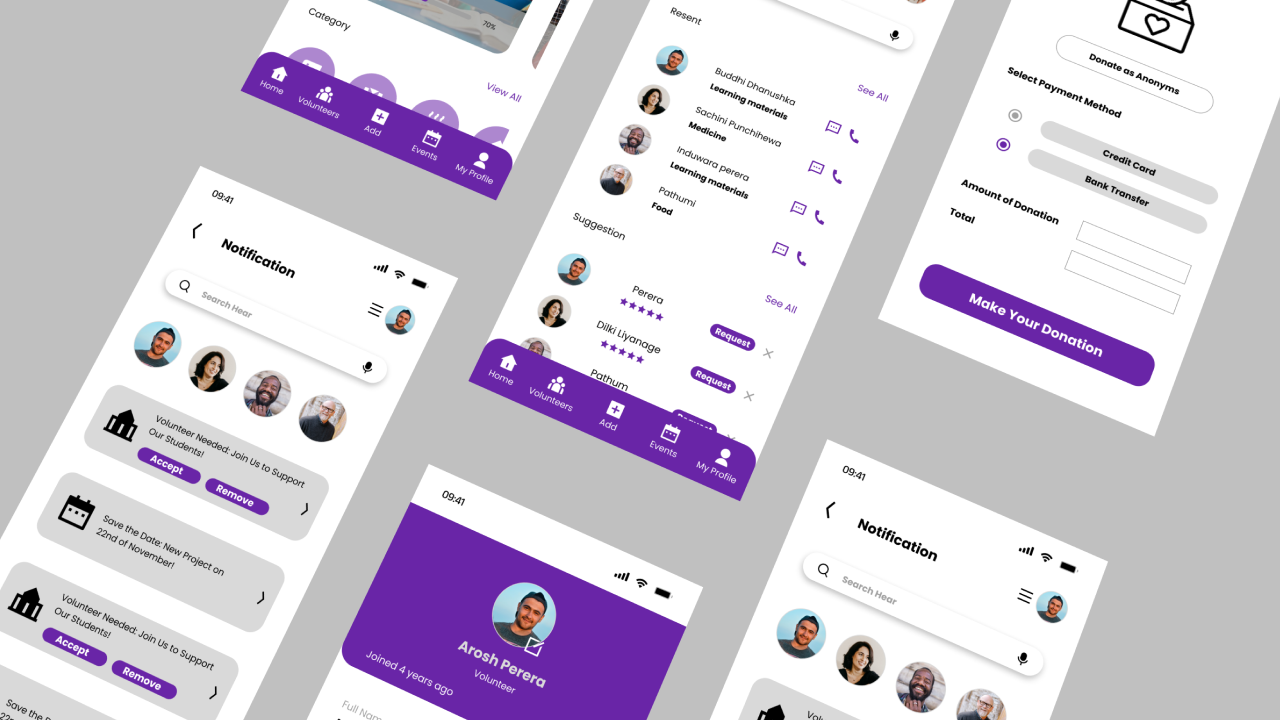
The platform was designed to support the needs of all three main user groups. For schools, it provides a simple way to submit and manage requests based on their needs. For donors, it offers a clear browsing experience to view and support specific requests. For volunteers, a dedicated flow was designed to help them register and contribute their time or skills. The platform also includes clearly defined request categories such as learning materials, meals, uniforms, and technology support, along with user-friendly layouts that help users quickly understand what is needed, who needs help, and how they can contribute.
This solution was created to address the main problems identified during the research phase, including disconnection between schools and supporters, lack of visibility into real needs, and an inefficient donation process. By bringing all stakeholders into one platform, EduBridge aims to make the support process more organized, transparent, and impactful, while building trust and encouraging stronger community involvement.
Outcome
The final EduBridge design resulted in a more organized, transparent, and user-centered platform experience that effectively connects schools, donors, and volunteers within a single ecosystem. By addressing the gaps identified during research, the solution transformed a fragmented and often unclear support process into a more structured and accessible digital experience.
One of the key outcomes of the design was the improved visibility of school-specific needs. Instead of relying on scattered communication or general donation efforts, the platform allows schools to clearly present what they need, making it easier for supporters to understand where help is required most. This improves relevance in the donation process and encourages more intentional contributions.
The design also improved the overall clarity and usability of the experience by simplifying user journeys for each role. Schools can easily submit and manage requests, donors can browse and support specific causes more confidently, and volunteers can quickly discover opportunities to contribute their time or skills. This role-based structure helps reduce confusion and creates a smoother, more intuitive experience across the platform.Another important outcome was the stronger sense of trust and transparency created through the interface. By organizing requests into clear categories, prioritizing readability, and presenting information in a straightforward way, the platform supports more confident decision-making for users. This is especially important in donation-based systems, where trust plays a major role in user engagement.
Overall, the final design helped shape EduBridge into a platform concept that feels not only functional, but also meaningful and community-driven. It demonstrates how thoughtful UI/UX design can improve accessibility, reduce friction, and create a more impactful support experience for underprivileged schools and the people who want to help them.
54
Final UI screens
20+
Research findings
3
Core user flows
LET’S BUILD
SOMETHING
Unforgettable
From first idea to final pixel - we’re with you. No fluff. Just results.
LET’S TALK